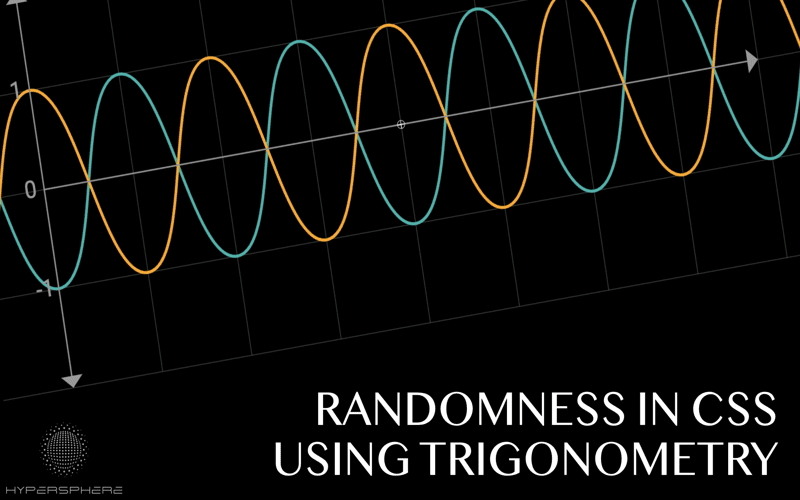
In the world of web design, *new CSS features* are revolutionizing how developers create and style their websites, making the process more dynamic and visually appealing. Among the standout advancements are CSS random functions, which enhance the randomness of styles, and the backdrop-filter CSS, allowing for stunning visual effects on backgrounds. Additionally, the CSS clip-path property enables designers to create unique shapes and folded corners without relying on images. The introduction of the Popover API CSS streamlines the creation of dropdowns and popovers, while innovations in anchor positioning CSS improve layout stability. Collectively, these new features empower web creators to push boundaries and design interfaces that are not only functional but also engaging and aesthetically pleasing.
As we explore the latest developments in styling techniques, the emergence of modern design capabilities in Cascading Style Sheets cannot be overlooked. This includes the incorporation of randomization features that allow for more creative expression in webpage aesthetics and functional components like the backdrop-filter, which enriches visually appealing backgrounds. Furthermore, advanced functionalities like CSS clip-path open doors to custom shapes, enhancing the overall user experience. The modern Popover API within CSS simplifies interactive designs, while precise anchor positioning brings clarity and stability to website layouts. Together, these innovative tools and enhancements are reshaping how web design is approached, creating exciting opportunities for both designers and users.

Understanding `random()` and `random-item()`
In the ever-evolving world of CSS, functions like `random()` and `random-item()` are game changers. Alvaro Montoro shows how these functions can dramatically enhance your styling capabilities. The syntax is quite intuitive, allowing developers to generate random widths and colors. For instance:
`width: random(–w element-shared, 1rem, 2rem);`
`color: random-item(–c, red, orange, yellow, darkkhaki);`
With `random()`, you can easily adjust an element’s width within specified limits, ensuring a dynamic layout that doesn’t appear stagnant. Meanwhile, `random-item()` can offer a burst of color, making interfaces more engaging. It’s essentially a straightforward way to bring some surprise and delight to your CSS.
The beauty of these functions lies in their ability to foster unpredictability while maintaining a degree of control. By leveraging variables, like `–w` and `–c`, designers can ensure that even the randomness aligns with their overall design scheme. This is a significant leap from more manual approaches, allowing CSS to become an even more adaptive tool in our design toolkit. The implications for user experience and aesthetics are enormous, making these features indispensable.
Creating folded corners using `clip-path`
The journey of creating folded corners has certainly come a long way from the early 2000s. Initially, I relied heavily on images—an approach that may seem archaic now but was the best available option at the time. However, with advances in CSS, we can achieve these elegant folded corners using `clip-path`. No longer do we need to wrestle with image assets or worry about performance issues.
Today, `clip-path` provides a clean, performant solution to achieve visually striking designs. By defining our corners through polygon shapes, we can create sophisticated UI elements that look modern and polished. This method not only enhances the visual appeal but also improves load times since there are no images to download. Embracing `clip-path` is just one example of how CSS continues to innovate and simplify our design processes.
Revisiting `backdrop-filter` and `font-variant-numeric: tabular-nums`
The `backdrop-filter` property is a powerful addition to our CSS arsenal, allowing us to apply visual effects to the background of elements. It’s particularly useful for creating a frosted glass effect that can elevate any user interface. The versatility of `::backdrop` pseudo-element means that designers can manipulate backgrounds to craft compelling depth and dimension within their layouts.
On another note, the use of `font-variant-numeric: tabular-nums` is paramount when it comes to managing digit alignment in dynamic data displays. This property anchors numerical values in an aesthetically pleasing manner, mitigating issues like layout shifts as users interact with real-time data. Whether you’re displaying clocks, financial figures, or counters, this feature ensures that numbers remain uniformly aligned—adding a layer of professionalism to your projects that cannot be appreciated enough.

In conclusion, this issue of **What’s !important** has illuminated both classic and innovative CSS techniques that deserve your attention. Let’s recap the key insights we’ve explored:
– The introduction of `random()` and `random-item()` functions opens up exciting possibilities for dynamic styling in CSS.
– Techniques such as using `clip-path` for folded corners demonstrate how much design has evolved from the past.
– Understanding properties like `font-variant-numeric: tabular-nums` can significantly improve the UI by reducing layout shifts in responsive applications.
– The new Popover API and anchored container queries pave the way for more dynamic interaction patterns in web design, enhancing user experience.
– Classic quirks of anchor positioning remind us that mastery of CSS is an ongoing journey, not just a destination.
Stay tuned as we continue to explore these topics further in future issues. Your feedback and experiences are always welcome!
As we wrap up this edition, it’s clear that CSS is both a foundational and evolving technology in web development. Here are some final takeaways:
– Mastering tools like `backdrop-filter` and new pseudo-classes like `:open` can transform the aesthetic of your websites dramatically.
– The quirky behaviors of property handling—such as anchor positioning—highlight the intricacies that make CSS both challenging and rewarding to learn.
– Fostering creativity with new methodologies like DOOM in CSS is a reminder to think outside the box with your coding practices.
– Lastly, remember the updates from the community, including Font Awesome’s project updates, ensuring you stay informed about the wider ecosystem.
Until next time, keep experimenting and pushing the boundaries of what’s possible with CSS!