
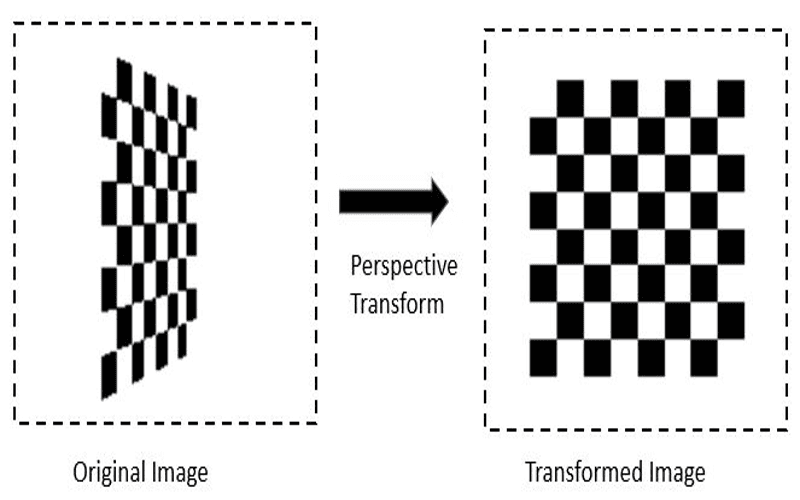
In the world of web design, mastering the art of 3D view transition is essential for creating captivating user experiences. Whether you’re looking to enhance your website’s aesthetics or streamline navigation, understanding cross-document view transitions can unlock a new dimension of interactivity. Utilizing innovative CSS techniques such as perspective transform and keyframe animation, developers can seamlessly transition from one page to another with stunning visual effects. However, many creators encounter challenges with CSS animation troubleshooting, particularly when implementing complex transformations. This guide aims to demystify these issues and help you harness the full potential of 3D view transitions in your projects.
When exploring the realm of 3D page transitions, you’ll find that this technique revitalizes standard navigational experiences. Think of it this way: cross-document view transitions allow for a smooth visual exchange between two web pages, much like flipping a card to unveil what’s beneath. By leveraging advanced styles such as CSS animations and transformation properties, developers can elevate their user interfaces into an immersive journey. However, it’s essential to navigate through common pitfalls in CSS animation troubleshooting to ensure these transitions function effectively. Let’s dive into how to implement these captivating transitions successfully.

Understanding 3D View Transitions
You might wonder why 3D view transitions are so tricky. It often seems as if they should work seamlessly, transitioning between pages organically. However, there’s a catch. Browsers need to flatten everything before they can attempt to orchestrate a visual symphony of 3D elements.
Take images for instance. They serve as a brilliant metaphor for how these transitions operate. When you switch from one image to another, browsers replace the visuals, replicating the before-and-after state in what can be conceptualized as a snapshot. To create this captivating animation effect, setting the perspective property on the parent container is crucial.
Consider the `.scene` element as a stage where visual elements like `.card` perform. Without the correct perspective applied at this level, any 3D transformation merely flattens out. Instead of appearing dynamic, the transition is lifeless. Each child within this container derives its depth from this perspective, enabling the stunning 3D transformations.
Common Pitfalls in Setting up 3D Transitions
When grappling with view transitions, the most common misstep involves the assumption that applying perspective at the `html` or `body` level will suffice. Many developers make this error, only to find their animations lacking. They expect the entire snapshot to cascade down the DOM tree when, in reality, it doesn’t.

The sequence of elements is critical. Simply put, once a view transition takes hold, the structure looks different from what one might expect. In this view, concerning perspective, we run into challenges; nesting the perspective property within the transition’s pseudo-elements could lead to disastrous results.
Moreover, the absence of visible results can be frustrating. Instead of the expected flourish, you might see a flat visual, far from the dynamic flip you envisioned. This draws attention back to how the underlying structure of the HTML interacts with CSS properties and animations.
The Key to Effective 3D View Transitions
The trick lies in the use of the `perspective()` function rather than the standalone `perspective` property. Until this realization, many, including myself, struggled to achieve the desired effect. Each keyframe animation must embed the perspective value directly into its transformations, circumventing the lacking parent.
By applying perspective directly within the `@keyframes`, you attain the atmospheric depth necessary for captivating transitions. This technique propels your animations from mundane to majestic, mirroring how a real-world scene changes depth and dimension with perspective.
In summary, achieving successful 3D transitions mandated a shift in thinking; from attributing perspective as a property to employing it as a function directly in transform calculations. Such is the learning curve of web development, where seemingly minor changes can lead to monumental improvements.
In conclusion, understanding why 3D view transitions may not work as expected is crucial for enhancing web animations and user experiences. Here are some key points to remember:
- 3D Transitions Require Perspective: For a 3D effect, the `perspective` property must be applied correctly to the parent element of the transitions.
- HTML Structure Matters: The positioning of elements in the DOM plays a significant role in the success of 3D animations—make sure your structure supports depth.
- Correct Use of Pseudo-Classes: While utilizing `::view-transition-old()` and `::view-transition-new()` is essential for animations, applying `perspective` directly in these pseudo-classes does not yield the desired results.
- Switch to `perspective()` Function: Instead of using the `perspective` property, incorporating the `perspective()` function within your keyframe animations effectively resolves the problem.
- Persistence Pays Off: Troubleshooting and experimenting with CSS properties can be time-consuming, but persistence often leads to valuable solutions and enhanced skills.
By understanding these principles, developers can create smoother and visually compelling 3D transitions that enhance navigation experiences. Let’s keep experimenting and learning to unlock the full potential of web animations!













