
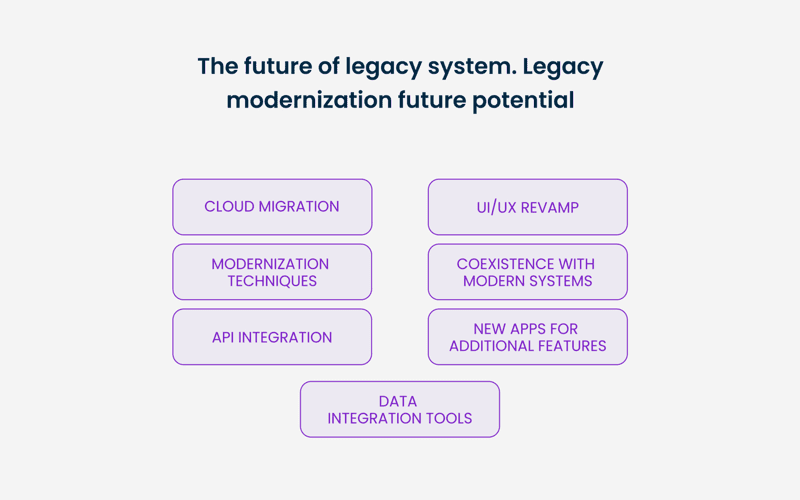
Consider the last time you tried to navigate a legacy system — a software tool riddled with outdated interfaces and clunky processes that seem to work against you at every turn. You may have felt the familiar frustration crawl in as you fumbled through an unintuitive layout, where each action triggers a cascade of inconsistencies and delays. This is the reality of **legacy system UX**, where user experience is often compromised by years of neglect, leaving vital tasks hindered by slow response times and convoluted workflows. As organizations evolve, clinging to these antiquated systems can feel like dragging an anchor through the digital ocean, but there are ways to adapt and improve the user experience in these enduring legacy systems, all while addressing the inherent challenges they present.
Embarking on the journey to enhance **user experience in legacy systems** requires a keen understanding of the underlying complexities that can turn routine operations into monumental tasks. Think about the significance of usability testing often overlooked during the development of these systems — many have been stitched together from varying patches designed decades ago, leading to a disjointed user journey that can bewilder even the most seasoned employees. A thoughtful approach is necessary; recognizing the UX challenges in legacy software can illuminate specific areas ripe for improvement, whether through incremental adjustments that respect long-held user workflows or strategic updates that finally grant users the coherent experience they’ve been craving. By applying targeted **legacy UX design strategies**, organizations can not only breathe new life into these critical applications but foster a more productive environment centered on user needs.
Understanding the Core Issues with Legacy UX
Navigating the labyrinthine world of legacy systems can be a daunting task for design teams, especially when dealing with user experience challenges. A significant obstacle arises from the fact that many of these systems are crucial for daily operations, yet they lack proper documentation and usability testing. Organizations often find themselves dependent on systems that are not only outdated but also costly to maintain, consuming up to 60% of operational resources in some cases.
The complexities do not stop there. Legacy UX often embodies a hodgepodge of design methodologies and technology that evolved over time, leading to inconsistencies in user experience. This results in fragmented workflows, further complicating interactions. Identifying the core issues with legacy UX is essential if you want to effectively plan improvements.
The Importance of Coexistence in UI Design
When designing around legacy systems, one might wonder how to create harmonization with contemporary user interfaces. Legacy systems can resemble a patched quilt of features, held together by years of half-measures and quick fixes. For example, consider a financial institution that must integrate its aging transaction software with new online banking features. Merging these systems while ensuring UX coherence is critical — and challenging.
For a smoother integration, it’s effective to utilize design tokens, ensuring consistent styles across both legacy and modern components. This not only helps in maintaining visual uniformity but also allows for a gradual phasing out of the outdated interfaces without sacrificing usability.
Analyzing User Dependency on Legacy Systems
A common misconception is that users readily embrace change, but often, they cling to the familiarity of legacy systems. Take for instance an HR management tool; users might resist a new interface fearing disruptions to their established workflows. It is crucial to map out these dependencies to understand user attachment and their workflows intricately.
Conducting user interviews and stakeholder workshops can provide invaluable insights. When users express concerns about the potential disruptions, it’s an opportunity to advocate for a more gradual transition, ensuring that design teams create an experience that respects user habits while integrating new functionalities.
Design Strategies for Legacy UI Enhancements
Improving legacy systems often doesn’t mean starting from scratch. It’s about enhancing the existing framework to offer a better UX. Using a strategy like incremental parallel migration can make the transition smoother. By developing new features alongside the legacy system and allowing users to toggle between them, teams gather crucial feedback early on.
Moreover, reactions to minor design tweaks can also inform larger design decisions. For instance, with a quick CSS update to enhance button visibility or make error messages clearer, you might realize that users engage more effectively in the updated environment, leading to tangible improvements without a complete overhaul.
The Value of Collaboration in Revamping Legacy Processes
Revamping legacy systems isn’t a solo endeavor; collaboration is key. Successful outcomes hinge on establishing strong relationships among stakeholders, users, and design teams. By facilitating regular workshops or feedback sessions, you allow everyone to express their needs and expectations.
Adopting a co-design approach can ensure that everyone has a voice in the redesign process. This collaborative strategy not only eases anxiety surrounding changes but also aligns the redesign with actual user needs, ultimately improving user experience in legacy systems.

Frequently Asked Questions
What are the common UX challenges in legacy systems?
Common UX challenges in legacy systems include slow performance, outdated interfaces, and broken processes. These systems often show fragmented design choices and lack proper usability testing, leading to a frustrating user experience. Users may also find it difficult to navigate a complex interface, where a single broken element can undermine the overall impression of the system.
How can I effectively improve UX in legacy systems?
To effectively improve UX in legacy systems, start by mapping existing workflows and dependencies to understand usage patterns. Choose a suitable migration strategy, such as incremental upgrades or parallel migrations, to make gradual improvements. Involve stakeholders and users throughout the process to ensure that changes align with their needs, making the transition smoother and more effective.
What strategies can enhance legacy UX design?
Enhancing legacy UX design involves implementing low-risk upgrades that align the system with modern design standards while gradually building new features. Strategies include conducting public beta tests for new designs, performing incremental migrations, and utilizing user feedback loops for continuous improvement. This ensures that the updated system meets user expectations while minimizing disruption.

- Understand that legacy systems are often essential for daily operations, despite their outdated design and functionalities. This makes their improvement critical for maintaining business continuity.
- Recognize the complexities involved; legacy systems typically operate within a fragmented ecosystem with inconsistent designs that can create a confusing user experience.
- Consider that the perceived reliability of legacy systems builds user attachment, making any attempt to redesign or replace them a sensitive endeavor requiring thorough preparation.
- Start by mapping existing workflows and dependencies related to your legacy systems. Involving key users and stakeholders in this process helps illuminate hidden complexities that influence daily tasks.
- Evaluate various UX migration strategies, such as incremental migrations or parallel efforts, which allow for gradual improvements without disrupting existing operations too much.
- Foster strong relationships with stakeholders to ensure support and understanding as you implement changes, emphasizing the importance of user feedback throughout the development process.
- Document everything thoroughly to maintain a clear reference point for all users and developers involved, which contributes to smoother transitions and better user buy-in.
Bring your team along on this journey and discover how enhancing legacy systems can lead to significant improvements in user experience.













