

Imagine yourself crafting a beautiful online space that not only catches the eye but also serves a purpose. Web design for beginners can feel overwhelming, with so many elements to juggle—colors, layouts, user experience—but it begins with simple choices: how should a button look, or which colors evoke a desired feeling? These decisions are your playground, and with each click and keystroke, you’ll start to realize that web design isn’t just about aesthetics; it’s a dance between function and form. This guide is your companion on that journey, revealing the essential principles and tools to transform your creative ideas into compelling web realities.
How do you turn the blank canvas of a web page into an engaging experience for users? Starting with the fundamentals is crucial—understanding HTML for structure and CSS for presentation opens the door to endless possibilities. As you navigate through this comprehensive guide for beginners, you’ll discover that web design is not just a skill but a craft that combines logic with artistry. From learning about responsive design techniques that adapt to any device, to exploring the intricacies of user interface elements, each step builds the foundation of your unique design approach. Let’s embark on this adventure together, turning your ideas into designs that resonate and inspire.
Key Principles of Web Design for Beginners
Web design is more than just aesthetics; it’s about creating functional layouts that cater to user needs. When designing your first website, consider the principle of user-centered design. Ask yourself: Can users easily navigate my site? Are the important elements prominently displayed? Balancing usability with visual appeal is crucial. For beginners, employing a grid system can help ensure that elements are well-aligned and provide a coherent structure.
Beyond alignment, contrast plays a vital role in attracting user attention. For example, if you’re using a light background, darker text will stand out better. By adjusting font sizes and color contrasts, you can create visual hierarchies that guide users intuitively through your website. As you accumulate knowledge on these basic principles, you’ll begin to understand how they interweave to create compelling designs.
Repetition is another powerful principle to embrace. If you consistently use the same color palette, font types, and button styles, you foster a sense of familiarity, which is welcoming for visitors. Think about your favorite websites: chances are they share consistent styles throughout. As a beginner, it’s beneficial to develop a style guide as you approach this aspect—document your design choices to create a uniform experience across all pages.
Essential Tools for the Aspiring Web Designer
What tools do you need to get started in web design? The landscape offers a multitude of design software, each serving unique purposes that can elevate your workflow. For instance, Adobe XD provides a robust platform for wireframing, allowing you to visualize the user flow before writing a single line of code. This creates a roadmap that saves both time and effort in the coding phase.

Figma deserves special mention as an incredible tool for collaborative design projects. Imagine working with a team on a design from different locations; Figma’s browser-based platform allows real-time edits and feedback, making your design process truly dynamic. Meanwhile, Sketch remains a favorite among many designers for its ease of use, particularly for macOS users.
Moving beyond design, don’t forget essential code editors like Visual Studio Code or Sublime Text. These editors help you write your HTML and CSS efficiently, featuring handy tools like syntax highlighting and live previews that can significantly smoothen your coding practice. Starting with the right tools can ease the learning curve and boost your confidence.
The Importance of Building a Portfolio in Web Design
Why is having a portfolio crucial for web designers? It’s simple: your portfolio is your best marketing tool. As you embark on your journey in web design, compiling your work into a cohesive portfolio showcases your skills to potential clients or employers. A well-crafted portfolio not only displays your projects but also tells a story of your growth as a designer. Think of it as a reflection of your unique style illuminated through your work.
Moreover, having online visibility increases your chances of landing projects. Consider utilizing platforms like Behance for an elegant presentation of your work, or take it a step further by creating your own website to host your portfolio. This way, you control the narrative and design elements of your showcase.
An effective portfolio should include diverse projects to demonstrate your range. For instance, include a landing page for a fictional product, a blog layout, or a personal project that highlights your unique perspective. Remember, quality trumps quantity—curate your best work so that it truly reflects your capabilities.

Frequently Asked Questions
What are the essential skills needed for beginners in web design?
For those embarking on the journey of Web Design for Beginners, mastering HTML and CSS is fundamental. Additionally, understanding the principles of User Experience (UX) and User Interface (UI) design, as well as familiarizing oneself with responsive design techniques, will establish a strong foundation. Familiarity with design tools like Adobe XD and Figma also enhances creative capabilities.
How can I practice web design if I’m just starting out?
Beginners in web design can hone their skills through practical projects. Start by crafting simple web pages or personal portfolio sites. Creating a blog to discuss web design concepts or a landing page for a fictional product can serve as great practice. Engaging with real-world challenges will foster growth and confidence in your web design journey.
Why is responsive design important for web design novices?
For those delving into Web Design for Beginners, responsive design is crucial as it ensures websites function and appear well on various devices. With a vast majority of users accessing content through mobile devices, utilizing fluid grids, media queries, and flexible images makes your designs accessible and user-friendly across all screens.
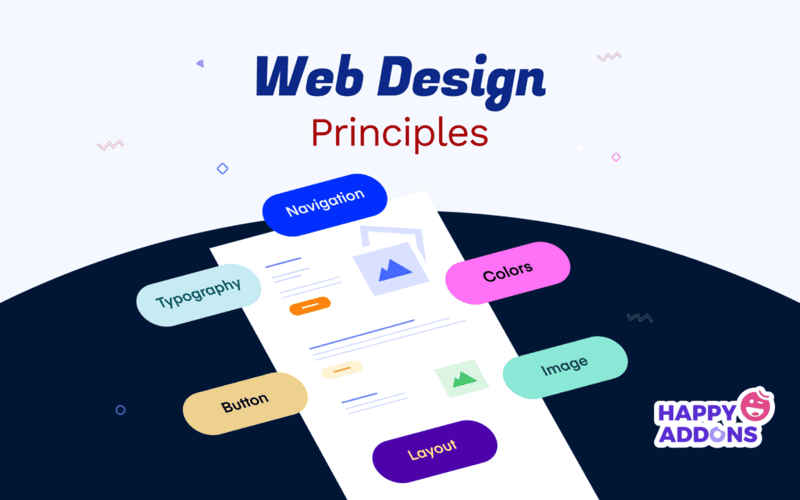
- Understand that web design blends creativity and functionality, encompassing various disciplines like User Experience (UX) and User Interface (UI) design, which prioritize user interaction and visual appeal.
- Dive into the fundamentals of HTML and CSS to establish your groundwork, as these languages serve as the backbone of any successful website.
- Become acquainted with essential design tools such as Adobe XD and Figma, pivotal for prototyping and design collaboration in the digital landscape.
- Familiarize yourself with core design principles—like alignment, contrast, repetition, and proximity—to enhance the visual coherence and usability of your designs.
- Embrace responsive design techniques, utilizing fluid grids and media queries to ensure your creations shine across diverse devices.
- Put theory into practice by embarking on small projects, such as personal portfolios or blogs, to weave your learnings into tangible works.
- Stay ahead of the game by following design blogs and communities, allowing impactful trends to inspire your work and keep your designs fresh.
- Recognize the vital role of SEO in web design, optimizing your sites through semantic HTML and image techniques for better visibility on search engines.
- Craft a compelling portfolio that showcases your evolving skills and projects, capturing the attention of potential employers or clients.
- Participate in web design communities, engaging with fellow designers and seeking advice to enrich your learning experience.
- Commit to lifelong learning; seize opportunities through online courses to deepen your knowledge and refine your design craft.
Explore our related posts to delve deeper into the wonderful world of web design!














