
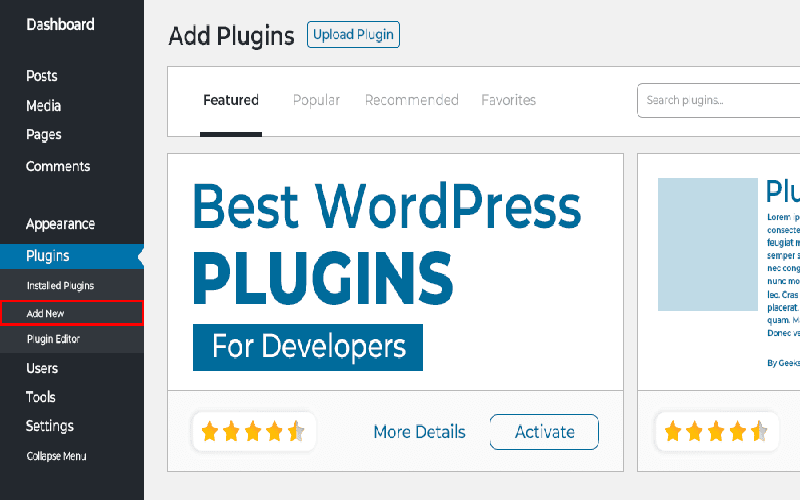
WordPress plugins for developers are indispensable tools that can significantly enhance the efficiency and functionality of a website. While many plugins aim to improve user experience, there exists a unique category tailored explicitly for web developers. These specialized plugins not only facilitate site optimization but also bolster WordPress performance and troubleshooting capabilities. By leveraging the best WordPress plugins available, developers can streamline their workflows, tackle potential issues, and fine-tune site performance with remarkable ease. From debugging tools to performance enhancers, integrating these essential plugins into your development process can transform the way you build and manage WordPress sites.
When it comes to optimizing your WordPress development experience, various utility plugins serve a critical purpose. Developer-oriented tools provide essential resources for monitoring site performance, diagnosing issues, and enhancing overall functionality. Among the top-tier solutions operational in this space are WordPress debugging tools that offer insights into error management and performance metrics. Furthermore, site optimization plugins empower developers to ensure that every aspect of their website operates smoothly and efficiently. In this ongoing journey of web development, utilizing these plugins for developers can yield significant time savings and improved site management.

Introduction to Developer-Focused Plugins
WordPress has established itself as the go-to platform for countless websites around the globe. But what about developers? They require specialized tools to maximize performance and efficiency on the sites they manage. Developer-friendly plugins fill this pivotal role, offering unique functionalities tailored to debugging, performance monitoring, and more. Unlike general-purpose plugins aimed at site owners or users, these tools cater specifically to web developers’ intricate needs.
One key aspect that sets developer-focused plugins apart is their ability to handle complex issues without interrupting the user experience. With features that allow for private testing, data logging, and performance assessment, these plugins are indispensable for any developer’s toolkit. Let’s dive deeper into some of the best options available, which can help streamline workflows and enhance site management.
Health Check & Troubleshooting Plugin
At the cornerstone of any developer’s tools is the Health Check & Troubleshooting plugin. This essential utility comes equipped with a straightforward interface that enables developers to temporarily deactivate plugins and themes during a session. By identifying conflicts without affecting user experience on the live site, developers can efficiently diagnose issues.
Moreover, this plugin provides an extensive array of debug information, confirming that core WordPress files are untouched. In situations where the site encounters issues, having this tool readily available is a lifesaver. It alleviates the worry of failing to pinpoint a problem while potential solutions are explored.

Harnessing Query Monitor for Performance Insights
If your site is plagued with performance hiccups, Query Monitor is the plugin you definitely need. This powerful tool excels at revealing a wealth of information during the page load process. Whether it’s JavaScript errors or PHP warnings, Query Monitor captures it all—displaying crucial details about the theme template in use, server settings, and even user capability.
What’s particularly impressive is the plugin’s ability to track database queries and their execution times. With this data at hand, developers can make informed decisions to optimize site performance, ensuring visitors enjoy a seamless browsing experience.
Avoiding Unintended Emails with Disable Emails Plugin
Developers often find themselves in precarious situations when working on live sites, especially concerning email notifications. The Disable Emails WordPress plugin provides a straightforward solution to this common issue, preventing accidental email dispatches during troubleshooting and development.
No more unintended WooCommerce invoices or user registration emails will go out while working in a staging environment. This plugin is particularly beneficial when you want to focus on building without the anxiety of disturbing users with test correspondence.
Exploring Code Profiler for Performance Evaluation
Every piece of code added to a WordPress site can influence performance, and understanding that impact is crucial for developers. The Code Profiler plugin empowers users by offering a visual representation of performance metrics. Through colorful charts detailing load times and resource usage, developers can quickly identify bottlenecks that may be hindering site speed.
Additionally, the tool’s compatibility with WP-CLI adds another layer of efficiency, allowing for streamlined performance testing directly from the command line. With the insights garnered from Code Profiler, developers can focus on enhancing site speed, thus improving user experience.
Managing Background Tasks with Advanced Cron Manager
The Advanced Cron Manager plugin is a powerful ally in managing the crons that keep your site running smoothly. By providing visibility into scheduled tasks, this plugin allows developers to easily modify and add tasks according to their needs. This is crucial in scenarios where failing cron jobs can lead to significant issues, especially for e-commerce and membership sites.
Through its user-friendly interface, developers can gain control over these behind-the-scenes processes. This capability ensures that essential functions, such as email notifications and software updates, happen reliably, enhancing overall site functionality.
Ensuring Email Reliability with Email Log Plugin
Email communication is a fundamental aspect of many WordPress sites, but its reliability can sometimes leave much to be desired. The Email Log plugin addresses this concern by meticulously tracking every email sent from a WordPress installation. This level of oversight allows developers to verify that messages are dispatched correctly and examine logs if issues arise.
When troubleshooting email delivery, having this plugin in your arsenal can save invaluable time and resources. It adds peace of mind, knowing that you can verify email activity and diagnose problems effectively, ultimately improving the site’s operational reliability.
The Value of Using Developer Plugins
In conclusion, the role of developer-friendly plugins cannot be understated. They serve as essential tools that facilitate a smoother development process and help maintain websites efficiently. By incorporating these plugins into your workflow, you can significantly enhance your ability to troubleshoot issues, monitor performance, and ensure optimal site operations.
As a developer, it’s crucial to equip yourself with solutions that cater to your professional needs. The plugins outlined in this article provide the support necessary for managing WordPress sites with confidence. From debugging tools to performance monitors, investing in these plugins is guaranteed to elevate your work experience.

In conclusion, the six WordPress plugins highlighted in this article are vital for any developer looking to enhance their website performance and streamline diagnostics. These tools not only cater to troubleshooting and performance analysis but also empower developers with greater control over the website’s functionality. By integrating these plugins, developers can:

– Simplify the debugging process with real-time insights into potential conflicts.
– Optimize website performance through detailed logs and analysis.
– Prevent unintended email notifications while working on site modifications.
– Visualize the impact of different elements on page load speeds.
– Manage cron tasks effectively, ensuring vital site processes run smoothly.
– Track and debug email sendouts, enhancing reliability for essential communications.
Leveraging these utilities allows developers to work more efficiently and assures that both the functionality and performance of WordPress sites remain top-notch.
Ultimately, the selection of developer-friendly plugins serves to bolster the capabilities of WordPress, transforming it into a robust tool for meticulous site management. As developers tackle the complexities of modern web development, having the right arsenal of plugins at their disposal can significantly ease the demands of their work. Key benefits of using the aforementioned plugins include:
– Access to invaluable debugging capabilities, helping to isolate issues quickly.
– Improved performance tracking, giving insights that can lead to faster load times.
– Avoidance of unnecessary user disturbances during development or testing phases.
– Enhanced understanding of server performance and the identification of bottlenecks.
– Flexibility in scheduling site processes and monitoring their behaviors effortlessly.
– Assurance of email functionality, thereby minimizing downtime and operational hiccups.
By incorporating these tools into their workflow, developers can maintain high standards of site quality and efficiency.













