Understanding the intricacies of WordPress workflow is vital for web professionals striving to create successful and user-friendly websites. With WordPress offering limitless flexibility in design and functionality, optimizing WordPress workflow becomes essential to ensure that clients can effectively manage their content and operations. By focusing on improving workflow in WordPress, we can prevent client frustration and engagement drop-offs, ultimately fostering a more productive relationship. Key to this is the integration of solid WordPress client management practices that streamline content management and embrace the unique design considerations of each project. In this article, we will delve into practical techniques for resolving common pain points in your client’s WordPress workflow, enhancing both usability and satisfaction.
When it comes to managing projects in WordPress, the concept of workflow refers to the processes and systems that support content creation and client interactions. Mastering the optimal website management protocols is crucial for delivering a seamless experience for both developers and their clients. By developing effective strategies to enhance the user journey and simplify the operational facets of content delivery, web professionals can significantly bolster client satisfaction. Focusing on methods to streamline site management not only resolves pain points but also improves overall efficiency. In this discussion, we will explore actionable insights into creating a robust framework that addresses workflow challenges effectively.
Understanding the WordPress Workflow Dilemma
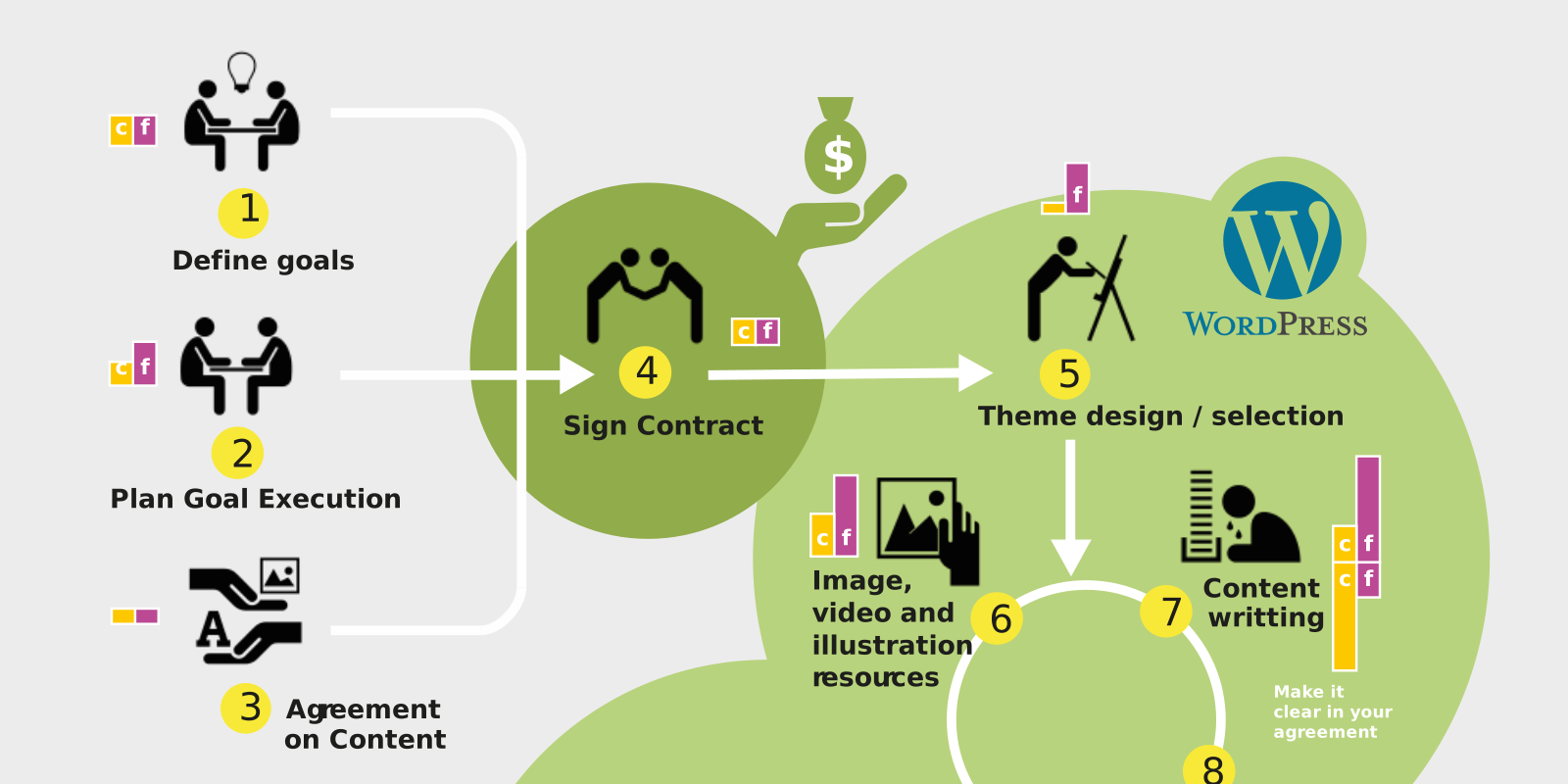
In the ever-evolving world of WordPress, web professionals often find themselves in a paradox. While the platform offers limitless flexibility for customization, this very freedom can lead to complex backend scenarios for clients. Many users feel overwhelmed by the intricacies, leading to frustration and stagnation as they shy away from updating or maintaining their sites. This disconnect not only hinders their engagement but can also stifle potential requests for updates or redesigns. Addressing these workflow issues is paramount; recognizing that our clients’ struggles often stem from confusion over the system is the first step in making their experience smoother.
To ensure clients remain engaged, we must prioritize their workflow from the inception of the project. Incorporating their feedback into every design choice is vital. It’s essential to pinpoint the specific pain points that hinder their ability to manage content seamlessly. By taking a proactive approach, we can help bridge the gap between client expectations and the functional possibilities offered by WordPress.
Design Choices Impacting Client Workflows
The choices we make in design and development can significantly affect our clients’ workflows. For instance, a seemingly inconsequential decision, like selecting certain plugins or themes, can either ease or complicate their content management processes. When a client faces challenges with a poorly integrated plugin, it could transform simple tasks like filtering databases into daunting hurdles. This scenario illustrates the importance of thoughtful selection in our project methodologies.
Moreover, the scattershot method of using various plugins from different vendors may offer limited functionality and hinder client data management. Streamlining features through well-integrated solutions can prevent future headaches. By understanding our clients’ capabilities and preferences, we can better tailor our plugin choices to enhance usability and satisfaction, ensuring that their journey with WordPress is both productive and enjoyable.
Assessing Client Needs and Comfort Levels
Every client presents a unique set of needs, and identifying these early is crucial for crafting a beneficial workflow. A common challenge is that many clients struggle to articulate their requirements, particularly when entering unfamiliar territory, such as e-commerce. They may fail to grasp the necessary tasks involved in managing orders, leading to decisions made without their input, which could backfire later.
To combat this hurdle, effective communication is key. Asking the right questions helps illuminate areas where clients may lack comfort or knowledge. It’s about fostering a collaborative dialogue, sharing realistic scenarios for managing content or orders, and encouraging clients to think critically about their workflows prior to implementation. This clarity not only empowers their decision-making but can also unveil additional insights, refining processes that ultimately enhance their experience.
Optimizing Existing WordPress Workflows
No WordPress workflow remains flawlessly efficient forever. As new features and functions are added, the systems can become more convoluted, leading to user dissatisfaction. Therefore, it’s crucial to maintain an open line of communication with clients as their needs evolve. By revisiting their pain points, we can identify opportunities for enhancements and streamline processes effectively.
In situations where traditional plugins no longer suffice, custom solutions might be necessary. Leveraging existing codebases or even creating new plugins tailored to specific client needs often becomes essential. Utilizing AI-driven coding suggestions can simplify this process, saving time and effort in development. Whichever route you opt for, rigorous testing in staging environments is necessary to avoid introducing further complications.
Harnessing the Power of WordPress for Tailored Solutions
To make WordPress truly work for our clients, we must embrace both the strengths and quirks of the system. A website’s success hinges on our ability to adapt and innovate to meet the changing demands of our clients. Acknowledging that what once served their needs may no longer apply encourages us to rethink strategies and streamline existing operations.
The rewarding aspect of working with WordPress is the scope for creating bespoke solutions that reflect both the clientele’s objectives and the core functionalities of the site. By balancing user experience with the technical possibilities, we can ensure that clients not only benefit from their websites but feel confident and empowered in managing their digital presence. Ultimately, prioritizing workflow considerations at every design phase can transform a simple website into a powerful business tool.

Key Takeaways on Enhancing WordPress Client Workflows
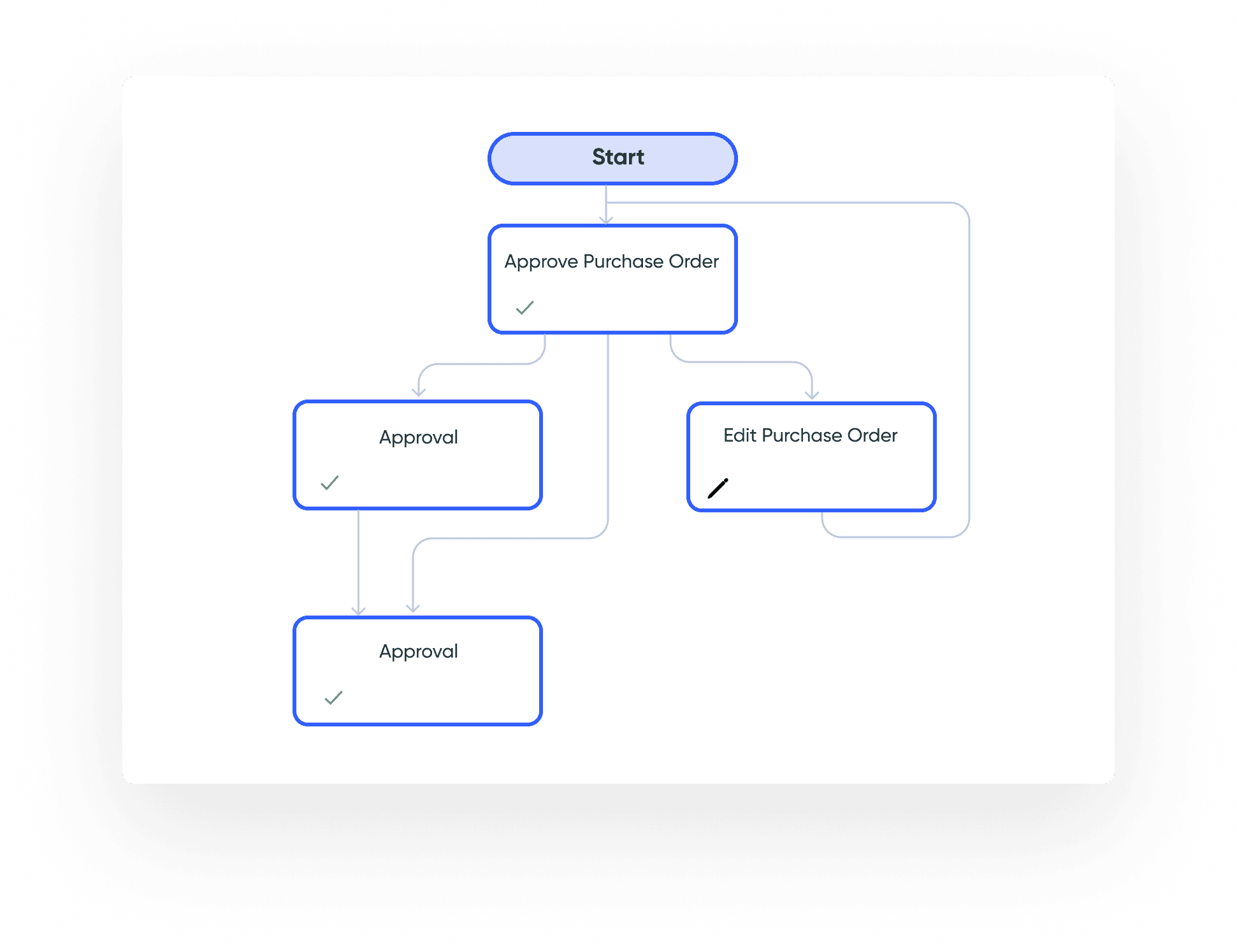
In conclusion, improving the WordPress workflow for clients is not just about technical implementation but understanding the complete user experience. By involving clients in the early stages of design and clearly communicating with them throughout the process, web professionals can build a system that not only meets their needs but also helps them feel more in control of their content. This approach increases client satisfaction and long-term engagement, ultimately leading to a more fruitful professional relationship.
To summarize the essence of resolving pain points in a client’s WordPress workflow, consider the following points:
– **Prioritize Communication:** Regular discussions with your clients can reveal their evolving needs and workflows, leading to more effective solutions.
– **Tailored Solutions Matter:** Each client has different technical skills and requirements. Building a system that accommodates those differences enhances usability.
– **Continuous Improvement:** As client needs change, so too should their website’s workflow. Be open to making adjustments and exploring new plugins or custom solutions.
Final Thoughts on WordPress Workflow Management
As we wrap up our exploration of enhancing WordPress workflows for clients, it’s clear that the right approach can make a significant difference in their experience. While WordPress offers vast capabilities, the complexity of the platform can often overwhelm users. Thus, strategizing the design and development phases with a keen focus on usability can prevent many common pitfalls that lead to frustrations. Listening attentively to client feedback and being prepared to adapt the web environment are vital for an optimal workflow.
In essence, effective WordPress workflow management includes:
– **Proactive Needs Assessment:** Encourage clients to discuss their processes early on to identify potential bottlenecks.
– **Efficiency through Integration:** Choose plugins that integrate seamlessly for a more cohesive dashboard experience, simplifying the management process.
– **Education and Empowerment:** Teach clients how to use their websites confidently, ensuring they feel equipped to handle daily tasks without hesitation.