
The proposed `:drag` CSS pseudo-class represents an exciting leap in web development, particularly for those leveraging drag-and-drop functionalities. Currently, CSS lacks a built-in mechanism to detect drag actions, causing developers to rely heavily on JavaScript for implementing drag effects. With `:drag`, designers could apply CSS styling seamlessly during these interactions, enhancing the user experience without the need for additional scripts. This innovation stands to eliminate cluttered JavaScript code, offering a simpler way to manage drag events and improve performance. As part of advanced CSS techniques, the `:drag` pseudo-class could redefine CSS styling for drag actions, allowing for cleaner and more maintainable code.
In the world of web design, the ability to style elements during user interactions, such as dragging, is essential for creating responsive interfaces. The `:drag` CSS pseudo-class not only streamlines the drag and drop CSS experience but also showcases the evolving nature of CSS pseudo-classes. By introducing this functionality, developers can innovate beyond traditional methods, leveraging CSS for dynamic effects typically handled by JavaScript. Such advancements highlight the importance of CSS in managing UI behaviors and signal a shift towards more powerful and user-friendly styling options. Overall, the `:drag` pseudo-class offers a promising pathway for those looking to enhance their web applications using intuitive and efficient CSS frameworks.

Introduction to the New CSS Pseudo-Class :drag
Now, I know what you’re thinking. _Yet another CSS pseudo-class…_ But let’s consider the possibilities! Earlier this year, a proposal surfaced to introduce the `:drag` pseudo-class. This new class would empower developers to easily apply styles when users actively drag elements on the screen. At present, CSS is notably lacking a mechanism to handle these drag interactions, which often necessitates cumbersome JavaScript workarounds.
Imagine how much cleaner and more efficient our code could be. By utilizing the `:drag` pseudo-class, we can streamline app behavior whenever an element is being dragged. This would eliminate the need to toggle classes manually through JavaScript, enabling us to make our styles declarative. Who wouldn’t want to avoid those tangled lines of JavaScript code just to manage a simple dragging behavior?
Understanding Drag-and-Drop Events
To fully grasp how the proposed `:drag` pseudo-class might work, it’s important to understand the underlying drag-and-drop events we already use in JavaScript. As a developer, you are likely familiar with the various drag events: `drag`, which triggers multiple times while dragging; `dragstart`, which fires at the moment dragging begins; and `dragend`, which marks when the drag has finished.
These events can be cumbersome to manage, especially when dealing with multiple elements or states. Currently, developers need to rely on JavaScript to hook into these events and make style changes. For instance, adding a `.is-dragging` class when an element is thrown into a dragging state can get messy and hard to track. This is where the `:drag` pseudo-class could save us from needless complications.
Simplifying Code with :drag
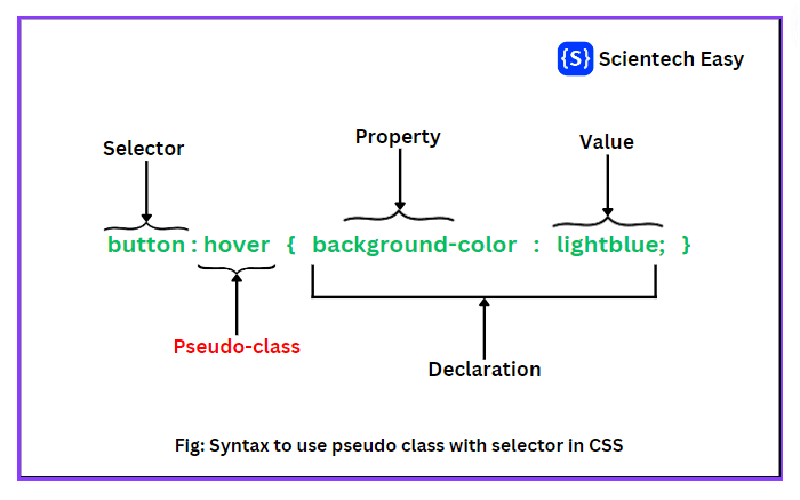
Using the proposed `:drag` pseudo-class, we could replace our JavaScript-heavy approaches with simple CSS rules. Instead of monitoring drag states through complex listeners, imagine writing a style like this: `.menu-bar:drag { cursor: grabbing; … }`. This allows for a more streamlined coding experience, where performance improves not only in page load times but also in maintaining our codebase.
Additionally, managing styles related to drag actions would be far more straightforward. Instead of toggling classes, CSS would automatically handle these interactions based on user actions, which reduces our dependency on JavaScript. Performance gains, cleaner code, and easier maintenance? That’s a win-win situation for any front-end developer!
Preview Image Enhancements with ::drag-image
Let’s talk about the preview image that appears while an element is being dragged. Currently, browsers display a default drag preview, but with a potential `::drag-image` pseudo-element, developers could customize this experience without relying on extra JavaScript. Imagine writing simple CSS like `::drag-image { content: “📦 Dragging…”; …}` to style the dragged element directly.
This would mean better control and customization options, allowing for an aesthetically pleasing user experience during drag-and-drop actions. The browser could showcase a more meaningful preview based on the actual content being dragged, thus enhancing user interactions and keeping visuals appealing.
Community Feedback on Drag-Related Pseudos
As with any new proposal, how would the community respond to these drag-related pseudos? Some may appreciate the potential for streamlined code and improved performance, while others might feel it encroaches upon JavaScript’s domain. Would you be ready to use a new `:drag` class or `::drag-image` in your stylesheets? Could there still be a need for JavaScript in certain situations?
A lively discussion surrounds this topic, with voices weighing in on both sides. Proponents might argue that delivering functionality through CSS will always feel more elegant than resorting to scripts, while critics may assert that JavaScript remains essential for complex interactive behaviors. What do you think? Let’s hear your thoughts!

In conclusion, the proposed addition of the `:drag` pseudo-class could significantly streamline CSS for drag-and-drop interactions, reducing reliance on JavaScript and enhancing performance and maintainability. This enhancement would allow developers to apply styles directly tied to the dragging state of elements, thus eliminating complex scripting for common UI behaviors. Consider the following key points regarding its potential benefits:
– **Performance Improvement**: Reducing the need for JavaScript means faster loading and execution times, leading to a better user experience.
– **Code Maintainability**: Using pure CSS for drag interactions minimizes the amount of JavaScript code required, making the code cleaner and easier to maintain.
– **Intuitive Styling**: Developers can create more dynamic and visually engaging interfaces by leveraging the `:drag` pseudo-class directly in their stylesheets.
Furthermore, the idea of a `::drag-image` pseudo-element adds to the conversation by suggesting another layer of customization in drag-and-drop functionality that could replace cumbersome JavaScript implementations. This concept enhances control over the aesthetics of drag previews, making it simpler for developers to create visually engaging experiences. Here’s why this could be a game-changer:
– **Simpler Customization**: Designers could seamlessly define dragging visual cues in CSS without additional scripting complexities.
– **Consistent Styling**: Ensures that the drag preview maintains a specific style that aligns with the overall design of the application, fostering a cohesive user experience.
– **Encourages Creative Use**: Developers could innovate with drag-and-drop interactions in new contexts, leading to richer web applications.




